Importing and drafts
Turn product codes and links into drafts.
Already know what you want to sell? Add your product references, choose the destination store and let Qublo prepare the drafts for your review.
See the complete guide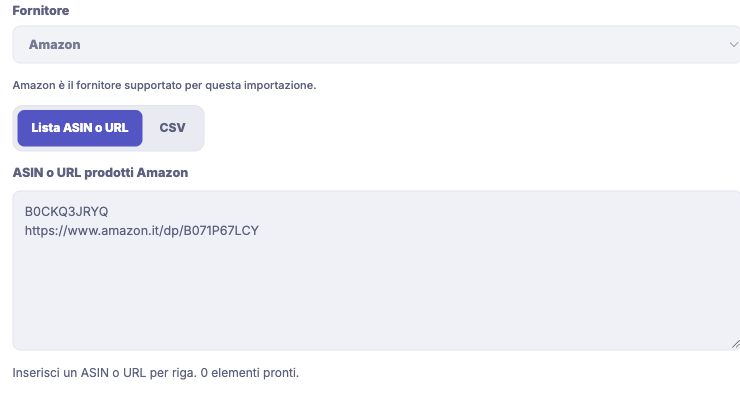
Bring your product selection into Qublo
Submit several products together instead of opening a separate draft for each one. Qublo keeps the destination store and supplier market distinct, so check that the Amazon country matches your intended market before starting. Imported products remain in Drafts, where you complete their details and choose when to publish them.
- Add ASIN codes or product page links, with one reference per line.
- Choose whether to include the product’s available variants.
- Review the import outcome and identify products that need attention.
How to get started
Choose the store
Open Drafts and select Create new drafts. Check Publish to and Sell in before adding your products.
Add your references
Fill in the ASIN or URL list and include variants if needed. Then select Create Drafts to submit the request.
Review the result
Processing continues if you close the page. Once it finishes, open the drafts and review their details, pictures and price.
Find every step in the documentation
Screens, instructions and practical checks for this feature.